
We’re not fancy. See why that’s good.
Why are we the Best VPN?
The answer is a combination of speed, privacy & security, as well as a wide variety of locations at the right price.
Learn More
Compare VPN Providers
View Our Plan & Features
Our features that enhance your VPN.
We don’t oversell “data breach scanners,” password managers, ad blockers, or other things you can already get for free.
OpenVPN
We pre-install OpenVPN. Compatible with the app on WIndows, Mac, iPhone, Linux, and Android. By default, up to two users allowed. Full admin access to OpenVPN access server.
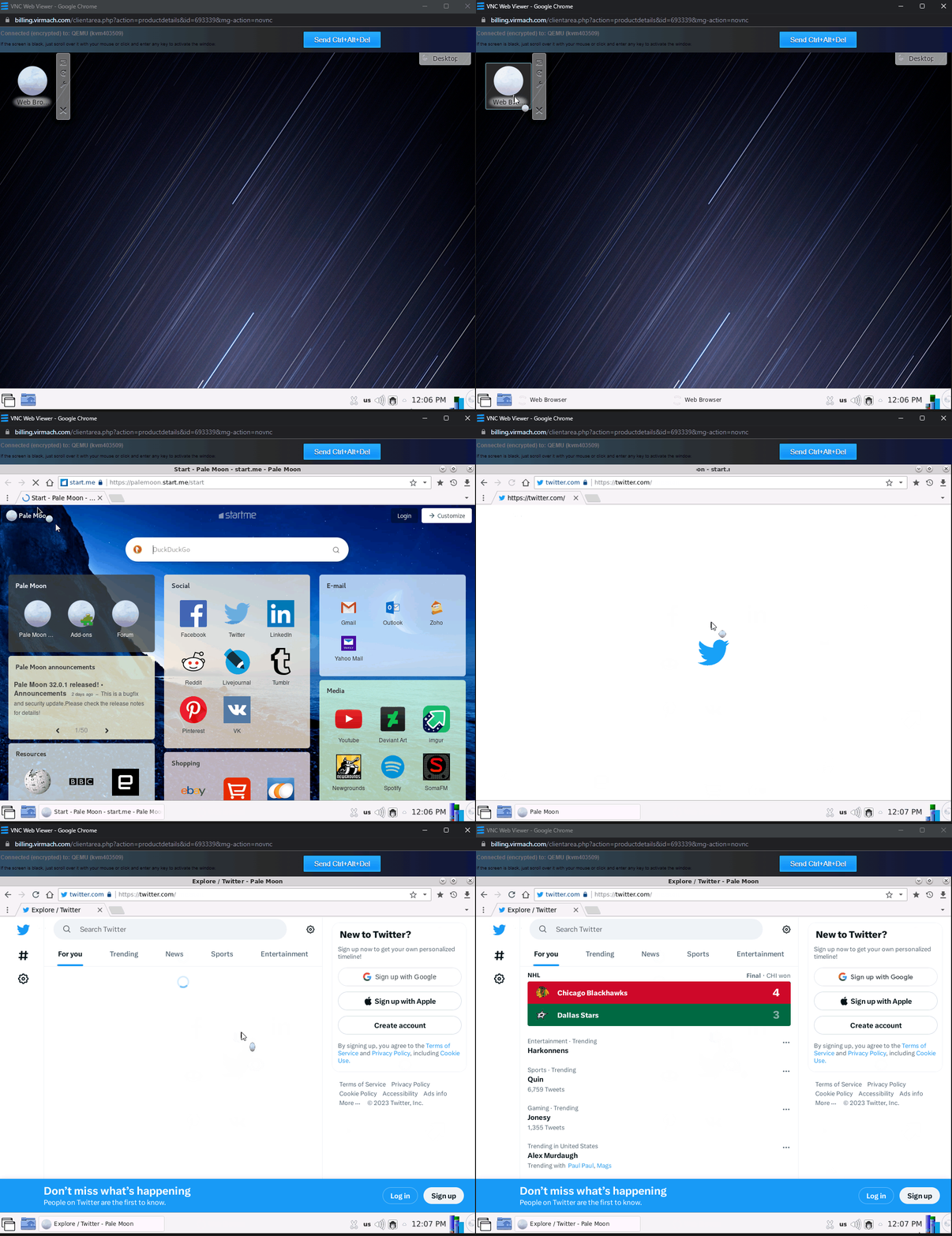
In-Browser Desktop
Since we’re already using a VPS, we decided to add a desktop environment which means you can use VNC to have your own very little portable remote accessed virtual computer server.
SOCKS5 Proxy
We also preconfigure Dante for a lightweight SOCKS5 proxy, which can be used with specific applications such as Maxthon web browser, file transfer tools, etc, instead of all your traffic. More practical use cases.
We’re working on adding more protocols/software for VPN and tunneling use.
We are not the same.
What is a regular VPN? (Not ours)
Marketing & Gimmicks
Many VPN providers operate like a gym. They know you don’t need it and won’t use it, so they have a large marketing budget and spend a tiny fraction of that on the actual VPN product. Ask yourself: did you come here from a sponsored video? No.
That means we’re able to cut our prices in half and provide you with more of what matters.
Cheap, not cheap.
While other VPNs are cheap (and not cheap) we’re cheap (and not cheap.) For us, the price is cheap. For them, the product. Did you know most other providers often share your VPN IP address to save money? The IP address also constantly randomly changes, which they try to paint as a positive. They bloat the VPN with “features” instead of focusing on the VPN.
Fear & Fantasty
In pretending to explain a “VPN” to the average consumer, they mention how you need it and pretend as if you somehow become completely anonymous and it protects devious hackers at the coffee shop from spying on you.
They say free VPNs reduce “speed” and pretend as if theirs is magical.
Your choices are: free VPN, paid VPN, or true VPN.
So what makes us different?
You get full access to the VPS, VPN server & IP Address
A virtual private network (VPN) is just software that runs on a computer. A virtual private server (VPS) is a virtual computer. We utilize full virtualization to ensure you are properly isolated. Compare this to how the top VPN providers run things: several people, often hundreds, running on the same software on the same server. We don’t have to advertise as being a “no log VPN” because you have full control of the logs.
You also receive a dedicated IPv4 address. As we mentioned, other VPN providers often split these between multiple customers and charge an astronomical rate if you desire a dedicated IPv4.
Open source. You can trust it because it’s all yours.
To make it easy for you, we automatically set up the VPN server software on a VPS for you, but after the nearly instant clone/setup. No technical knowledge needed, and we use open source software instead of proprietary VPN clients. The best part is if you ever doubt us, you can log in and check for yourself. This also means you can absolutely change anything you want, clear anything you want, and so on.
If a VPN creates an “encrypted tunnel” then you have access to both sides of the tunnel, and the tunnel has code you can review for yourself. You don’t have to but the important part is that you can.
We are a true VPN service: a fully dedicated & private cloud VPN.
Let’s Compare.

Free VPN (Proton VPN)
$
0
/Month
- Shared VPN Server
- "Medium Speed"
- No dedicated IP

Paid VPN (NordVPN)
$
11.99
/Month
- Shared VPN Server
- "Ultra-fast connection" (Vague)
- No dedicated IP (+$8.99/MO)

Cloud VPN (VirMach)
$
7
/Month
- Private VPN Server (Full Access VPS)
- 1Gbps Port (Realistically 100Mbps OpenVPN)
- FREE Dedicated IP
What’s our In-Browser Desktop Feature?
Great for quick & light browsing using your VPN's IP address.
Check out a real recording. This is launched within your browser on your computer in the client area of our site.
Compare With Us
Top VPN Providers
Exclusive Bonus Offer!
Order annual plan and also receive a storage VPS, no extra cost. ORDER DEAL
NordVPN
$
11.99
/Mo $59.88 First Yr (Then $99.48)
-
"Ultra-fast connection"
As advertised
- 6 Devices
- IKEv2/IPsec/OpenVPN
- $70/YR Dedicated IP (Optional)
- Switch Locations Anytime
-
No Log Policy - SOCKS5 possible
- No RAM Included
- No Disk Included
- No bandwidth limit
- No Remote Access Desktop
SurfShark
$
12.95
/Month $59.76 Per Year
-
"Fast Connection Speed"
As Advertised
- Unlimited Devices
- WireGuard/IKEv2/OpenVPN
- No Dedicated IP/Shared Static
-
Switch Locations Anytime
We limit this since we provide you with a dedicated IPv4, and to keep IP addresses clean.
-
No Log Policy - SOCKS5 Possible
- No RAM INcluded
- No Disk Included
- No bandwidth limit
- No Remote Access Desktop
ExpressVPN
$
12.95
/Mo $99.95/YR (+3 Months)
-
"Lightning-fast speeds"
As advertised
- Unlimited Devices
- Lightway/IKEv2/OpenVPN
- No Dedicated or Static IP
- Switch Locations Anytime
-
No Log Policy - No SOCKS5 offered
- No RAM Included
- No Disk Included
- No bandwidth Limit
- No Remote Access Desktop
VirMach
$
7.00
/Mo $40.00/YR
-
1Gbps Virtual Port
Please note, OpenVPN will not be able to use full port speed but you can on the VPS.
-
2 Users (OpenVPN)
No license provided, limited to two users.
-
OpenVPN (or any)
Since it's a VPS you can set up and use whatever you desire, but OpenVPN works out the box.
- 1x Included Dedicated IPv4
- Switch Location Limited
-
You control VPN logs - Simultaneous SOCKS5
-
768MB RAM
Operating system and applications use about half
-
20GB NVMe SSD
Your operating system will use about half.
- 2048GB Monthly Bandwidth
- +Remote Web Browser
VirMach Cloud VPN FAQs
Why is there a bandwidth limit?
Since we are providing a premium VPS alongside your VPN, we want to keep it premium. We believe providing unlimited bandwidth, while generally never really utilized by anyone, could eventually be misused by someone and cause network issues for everyone else. While your VPS is private, and you have a private virtual network adapter, the physical internet port on the server, as well as networking cables in general, is shared across users. By providing an extremely large amount of bandwidth, all normal use cases are covered. You shouldn’t ever have to worry about “running out.” In fact, in our 8 years in business we never recall someone running out of bandwidth on a VPN. Feel free to try to be the first!
How are you able to include a VPS running a VPN, at half the price of competitors?
The truth is that for most providers, the actual VPN portion is a very tiny fraction of the monthly cost. The main cost is fueling their large advertising budget for company growth, and large overhead. In fact, we also offer virtual private servers for as low as $1.50 and you could technically set up a VPN on any of those just fine as well, if you desire.
Once I make a purchase, how does it work?
You’ll receive an instructions email, but essentially, you just need to click to go to your very own web panel (hosted on your VPS) where you can download OpenVPN, or you can just download any version of OpenVPN and plug in the username and password we provide you on purchase, and click connect. That’s it.
Then, to use SOCKS5, you just use the same username and password but a different port number (1080.) Finally, to access your VPS, you just log into our website, click on your service, and click “VNC” on the service page.
Will any other provider show you what’s running your VPN?
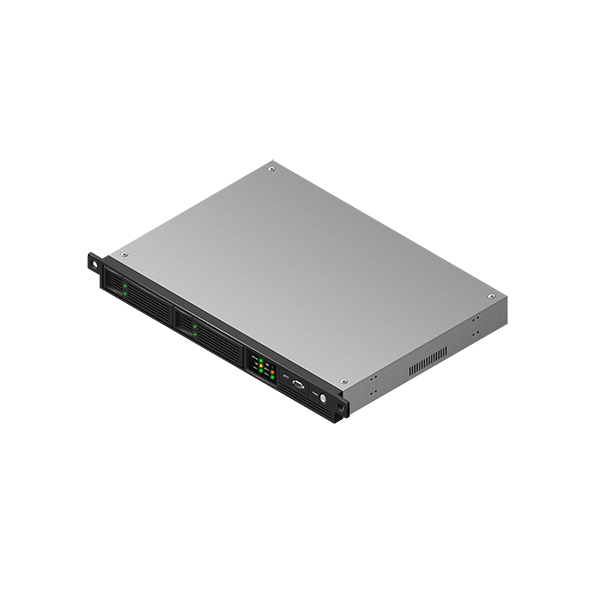
At VirMach, your VPN will run on a KVM virtual server hosted on one of our AMD Ryzen physical servers. They come with the following hardware specifications:
ASRock Rack Motherboard (X470/X570/B550)
128GB DDR4 RAM 2666-3200MHz (Micron, Samsung)
Ryzen 9 3900X-5950X CPU (3.4GHz+)
4x2TB Gen3 & Gen4 NVMe SSDs (Various)
2x1Gbit Intel NIC or 10Gbit
Your VPS will run CentOS 7 operating system pre-installed with OpenVPN access server, Dante (SOCKS5 proxy) and KDE plasma desktop environment.
VPN & Proxy
Let’s Do A Quick Recap:
Overview of everything you get with our VPN product.
1. Fully Private VPN
Using OpenVPN, with root access to the virtual server running your VPN.
4. Remote Desktop
Your tiny Linux computer in the cloud, accessible via browser.
2. SOCKS5 Proxy
Simultaneously use your proxy on multiple applications and devices.
5. Premium Data
You still get 2TB (2,000GB) of monthly data, just higher quality & share.
3. Dedicated IP
No one else will have the same IP address as your service.
Run Other Apps
You could run a website, a script, or anything that runs on Linux.